Writing down a design system that was already there
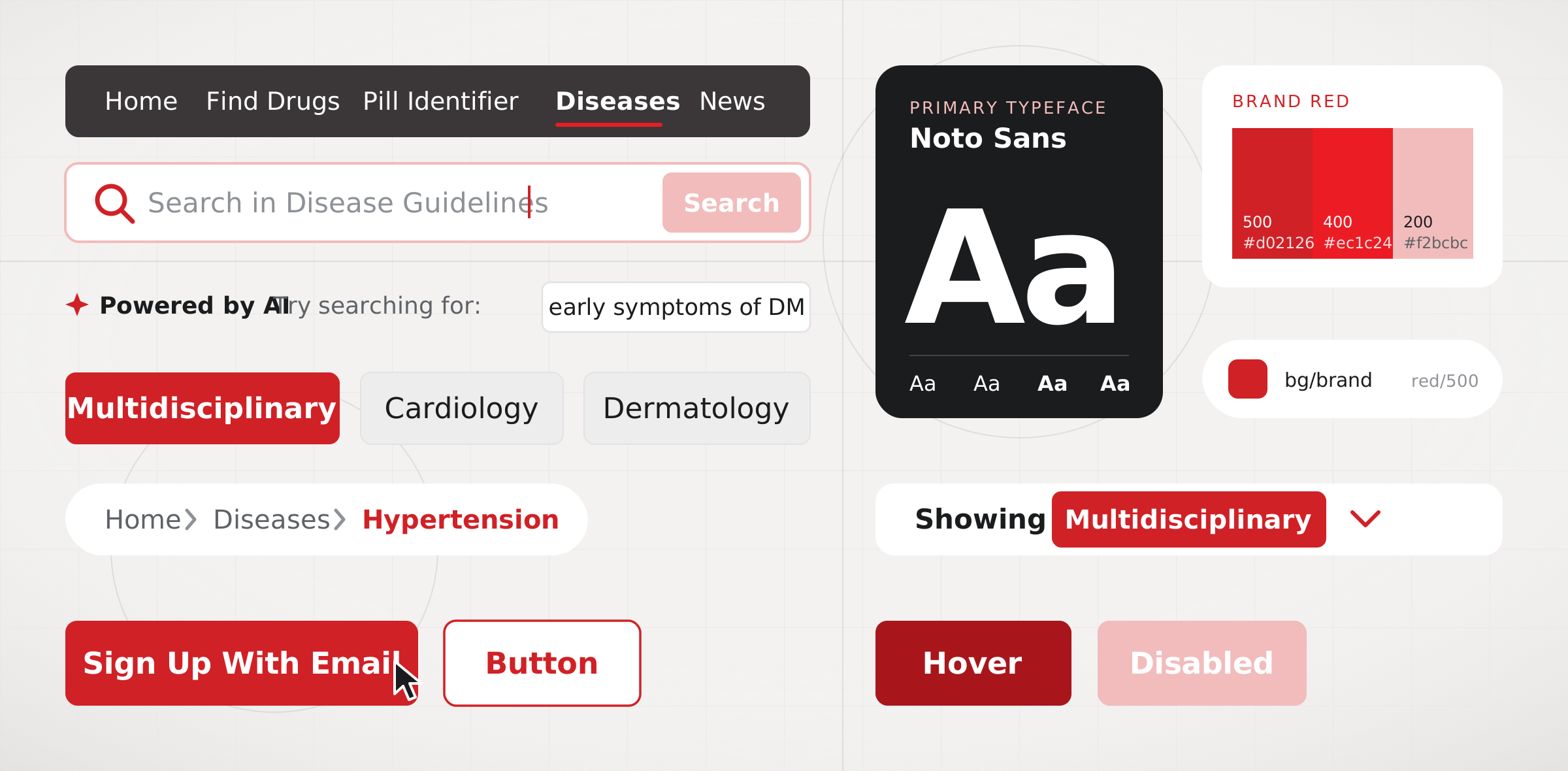
The MIMS web app had grown one page at a time, and its look lived only in code. I wanted the team to have one shared set of pieces to design and build from. This is the Figma library I made for it, with AI as a helping hand along the way.
- Timeline
- 2026
- Scope
- Design systems, UI design
Overview
The site had a system. It just wasn’t written down.
When I started, the disease guidelines and news pages were live and working well. Their colours, type and spacing lived in the code, though, not in one place a designer could open. New designs often began from screenshots, and that is how small differences creep in: a grey that is nearly the same, a corner that is a pixel off.
I didn’t want to invent a new look. I wanted to carefully write down the one that was already there, so designers and developers could trust that what they saw in Figma was what people saw on the site.
Working with AI
AI did the reading. I did the deciding.
Reading every colour, size, radius and shadow off a live site by hand is slow, and easy to get wrong. So I worked with Claude, an AI assistant, to pull the computed styles from the pages and turn them into lists I could check, and to help with the repetitive parts of setting up variables, styles and components in Figma.
That freed up my time for the parts that need a designer’s eye: what each value is for, what it should be called, and which differences on the site were on purpose and which were slips. Nothing went into the library until I had looked at it myself.
Tokens
First, the foundations.
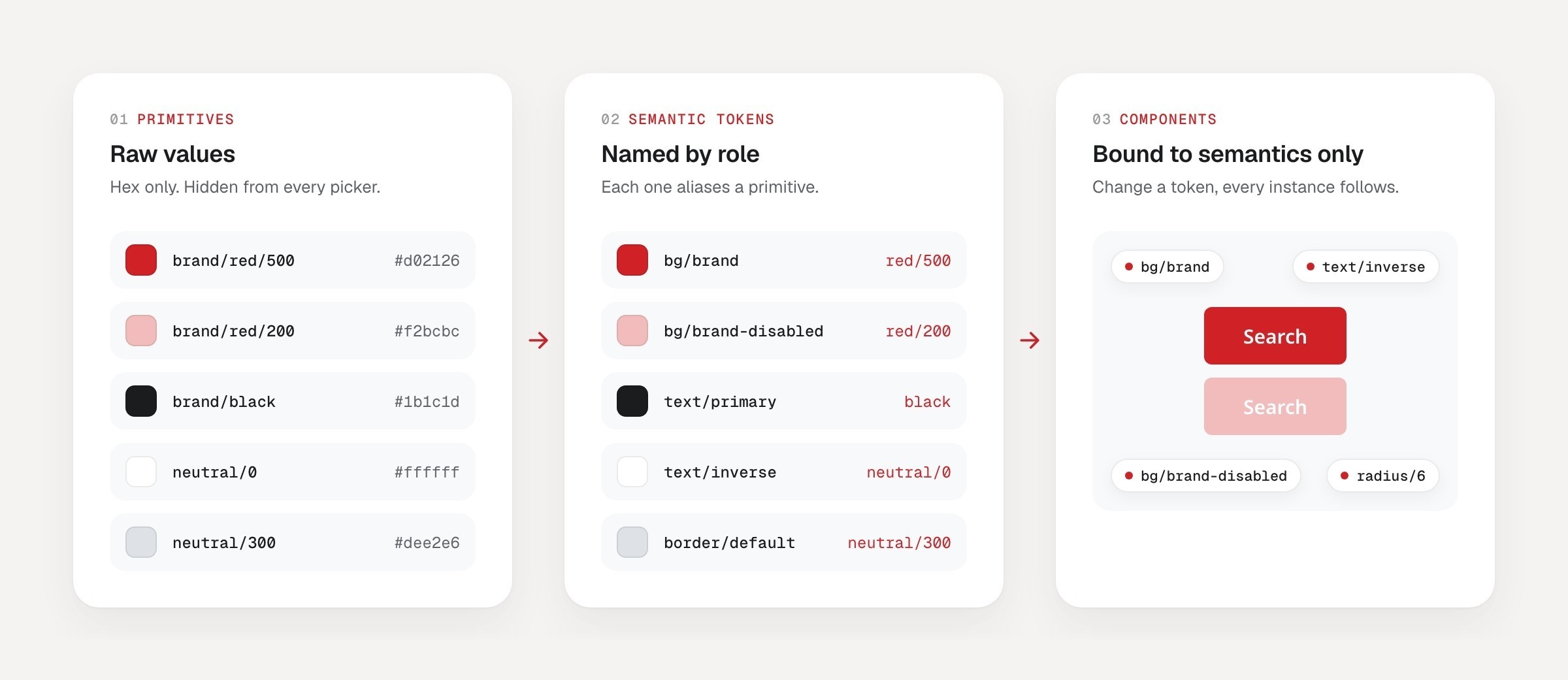
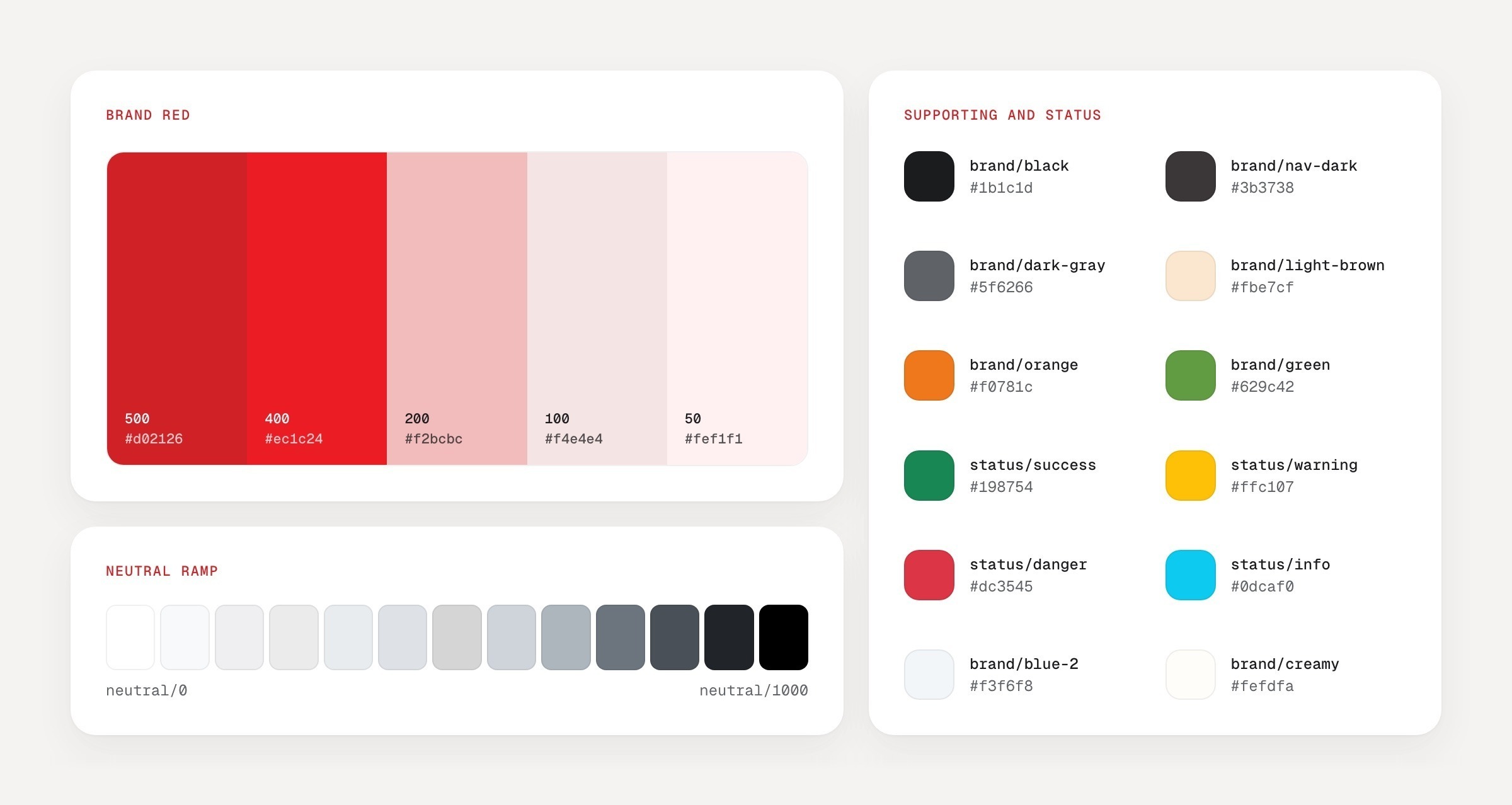
I split colour into two layers. Primitives hold the raw values: the brand red and its tints, a grey ramp and the status colours. Semantic tokens point to them and are named for their job, such as text, background, border, icon and feedback. Components only use the semantic layer, and I hid the primitives from the pickers so nobody reaches for a raw hex by accident.
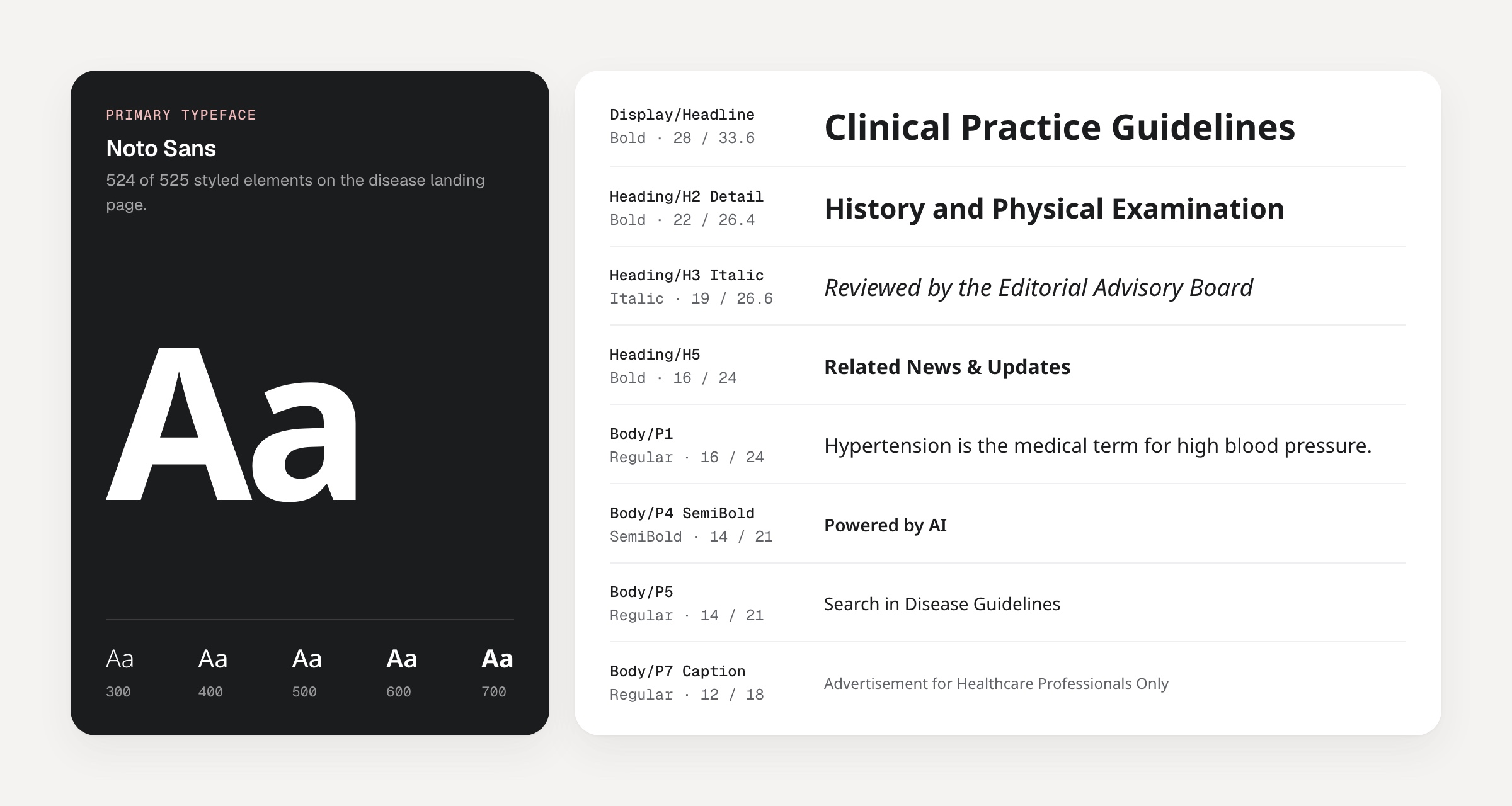
Spacing, radius, border width, size, breakpoint and motion each got their own collection. Every variable has a plain name like text/primary and carries its CSS value, so developers see the matching code in Dev Mode.
Components
Then, the pieces people use every day.
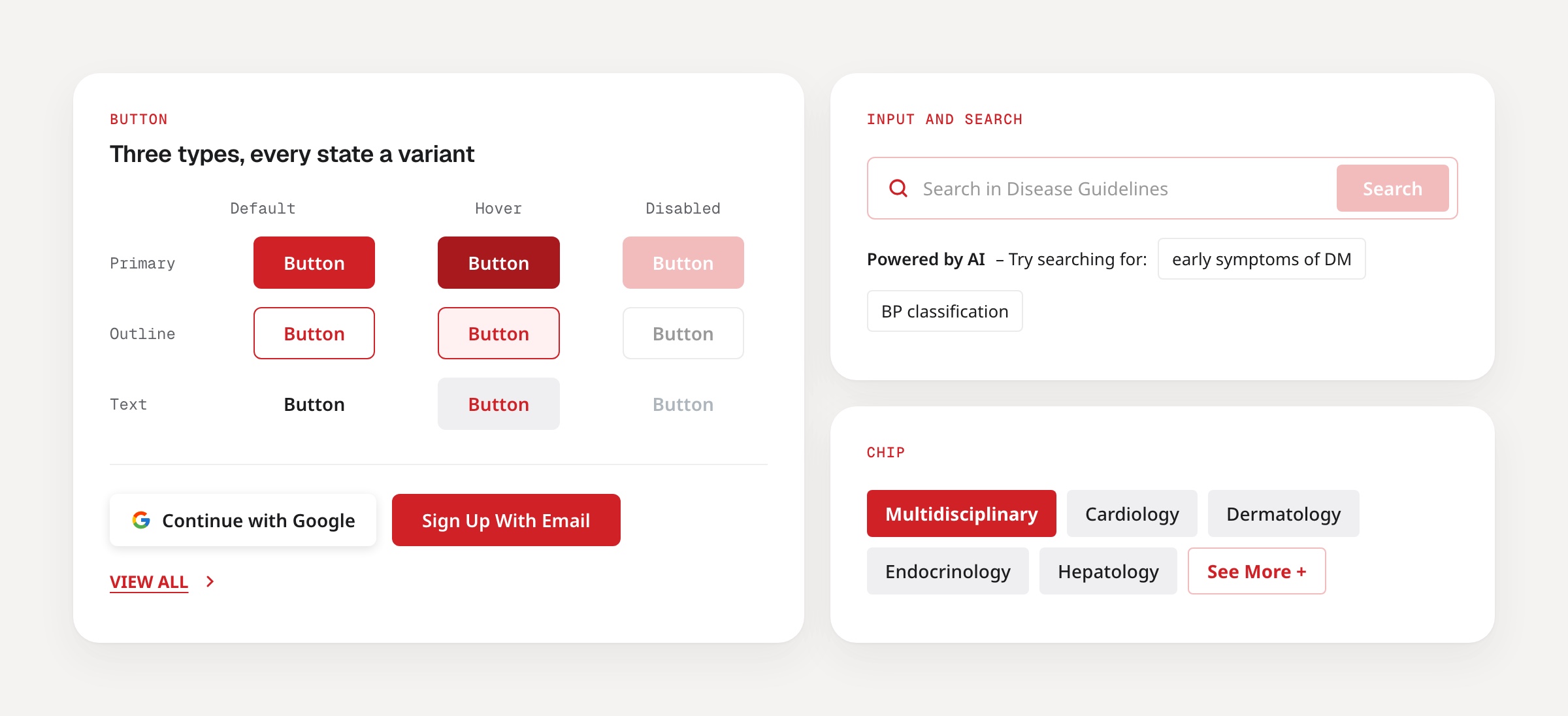
Buttons, inputs and search, chips, cards, navigation, breadcrumbs, tables and feedback each have their own page, with the desktop 1440 version next to the mobile 390 one. Hover, focus and disabled are real variants rather than notes on the side, so what you pick in Figma behaves like the site does.
Icons are 24px outlined components that swap through an instance property. It is a small detail, but it means changing an icon’s colour never breaks the frame around it.
Templates
Finally, whole pages from the same parts.
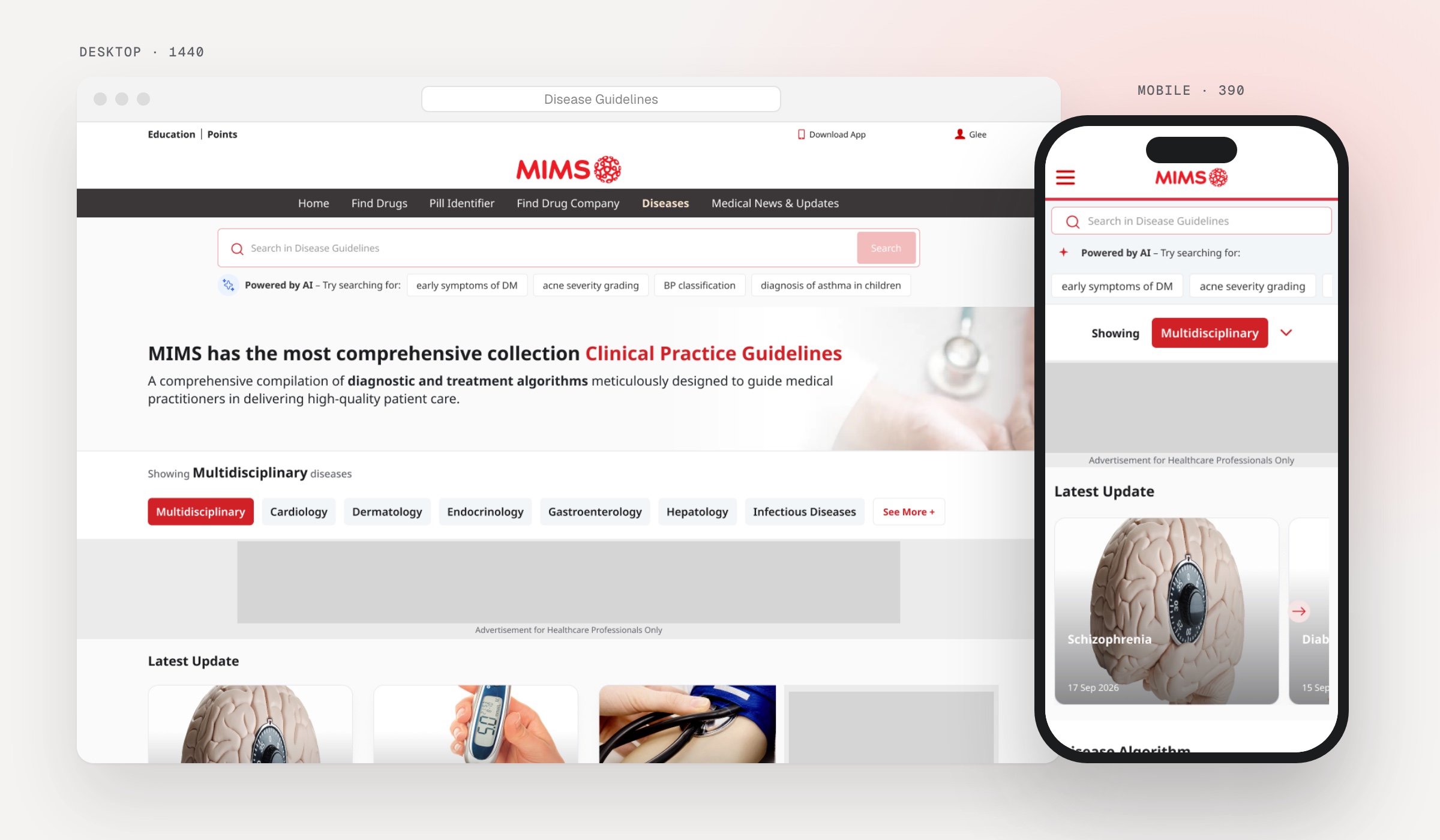
To check the library held up, I rebuilt the real pages with it: 22 templates in all. The disease side covers the landing page, the 18 disease tabs and search results. News and updates covers the landing page, four article types, four listings and search results. Each one uses only library components with auto layout, at desktop and mobile widths.
Some things a still frame can’t show, like the sticky nav on scroll, the open mobile menu, an error toast or the mobile filter. Each template page has a States section for those.
What I took away
A library is only useful if people can trust it.
Design systems are the part of the work I enjoy most, and this one reminded me why. Starting from what was real, rather than what I thought it should be, made the library something the team could rely on from day one. Version 1.0 went out on 20 September 2026, with a Getting Started page that explains the layers, the naming and how to keep the file in step with the site as it changes.
Working with AI changed how I spent my time more than what I made. The slow, careful reading got faster, which left more room for the choices that make a system feel considered. I’m still learning where it helps most, and I’d gladly use it this way again.
Let’s talk
I’d love to tell you more on a call.
There’s more to this project than fits on one page. If you’re interested, I’m happy to walk you through the decisions, the trade-offs and what I’d do next.