Neo eBINDR
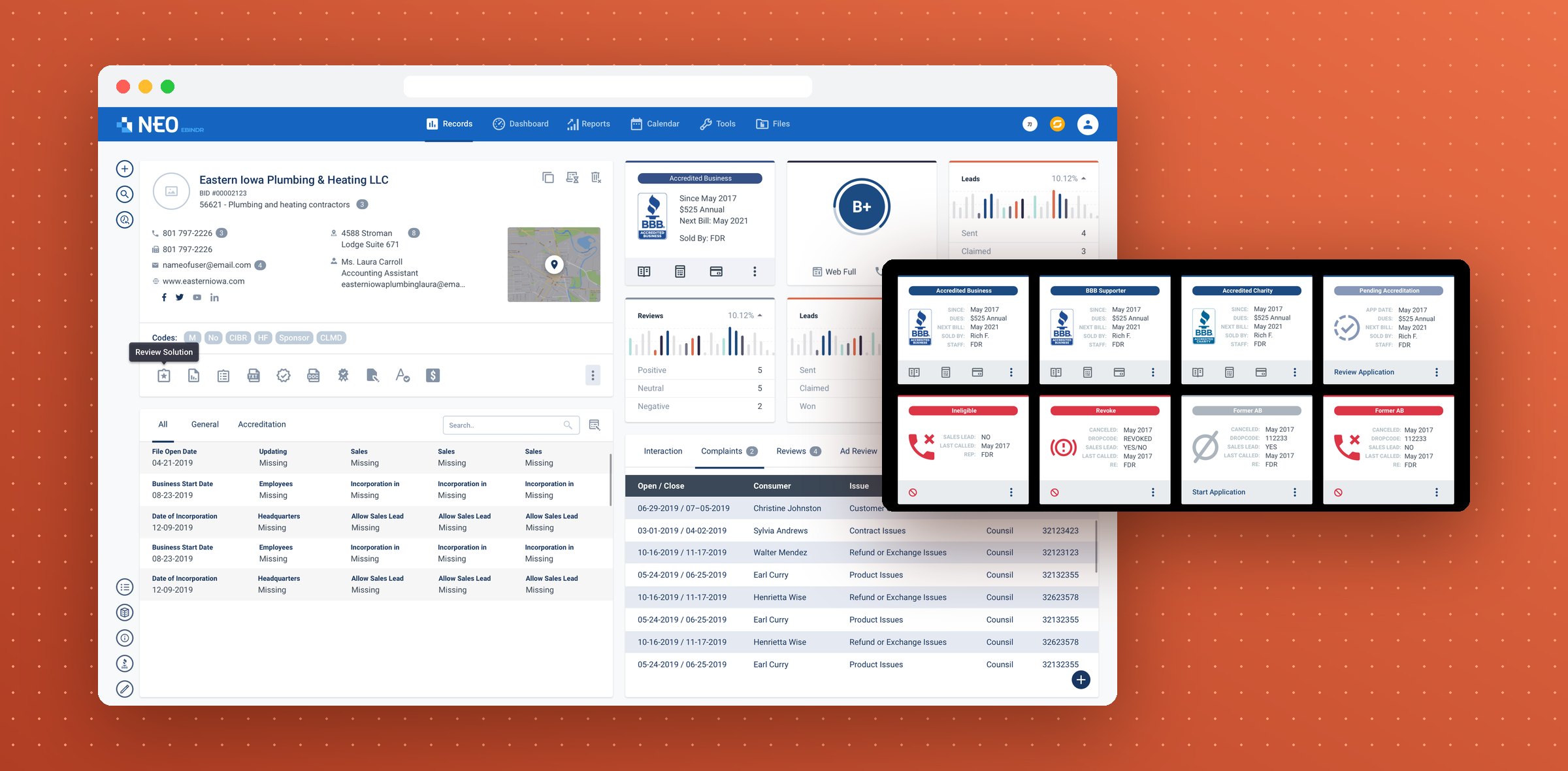
A records system that BBB staff work in all day: one screen per business, with complaints, reports and search close at hand. I designed it in Figma and coded the front end.
- Timeline
- 2018
- Scope
- UI/UX design, front-end development
The record
One business, one screen.
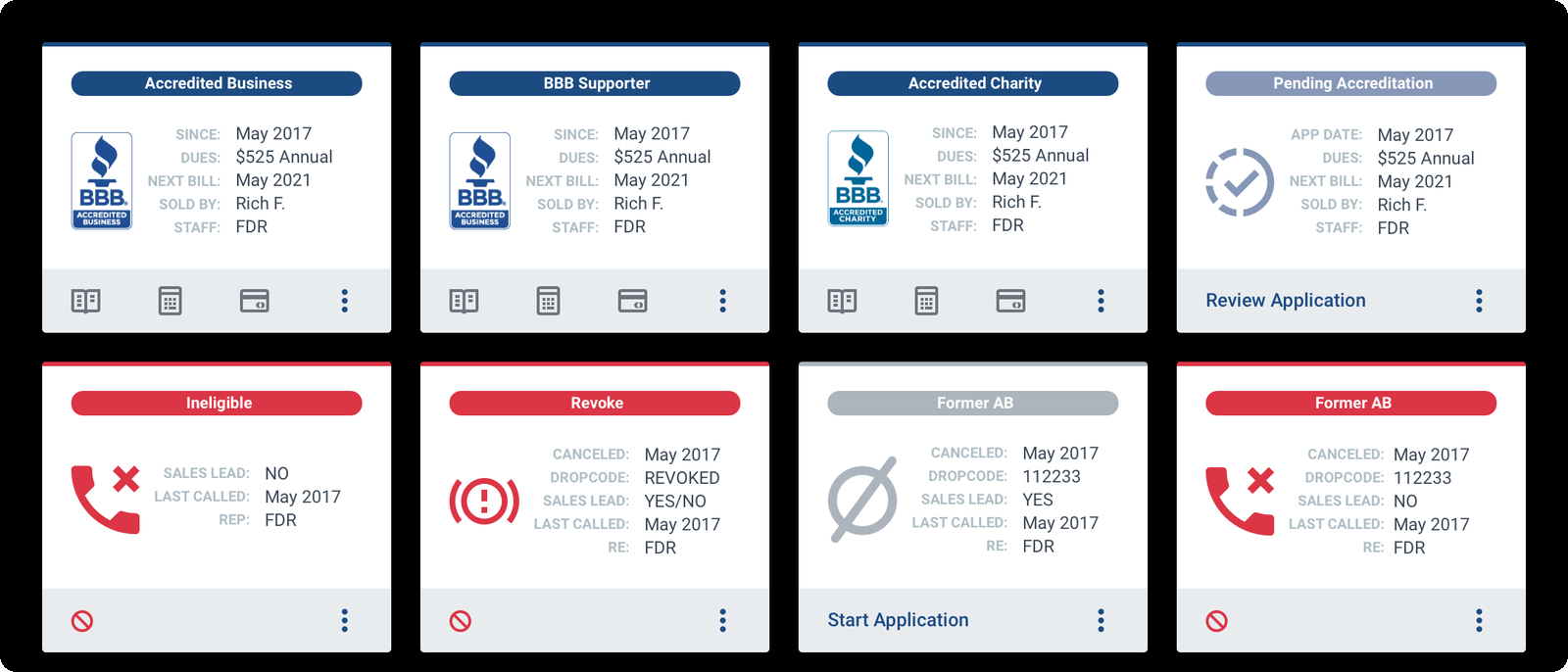
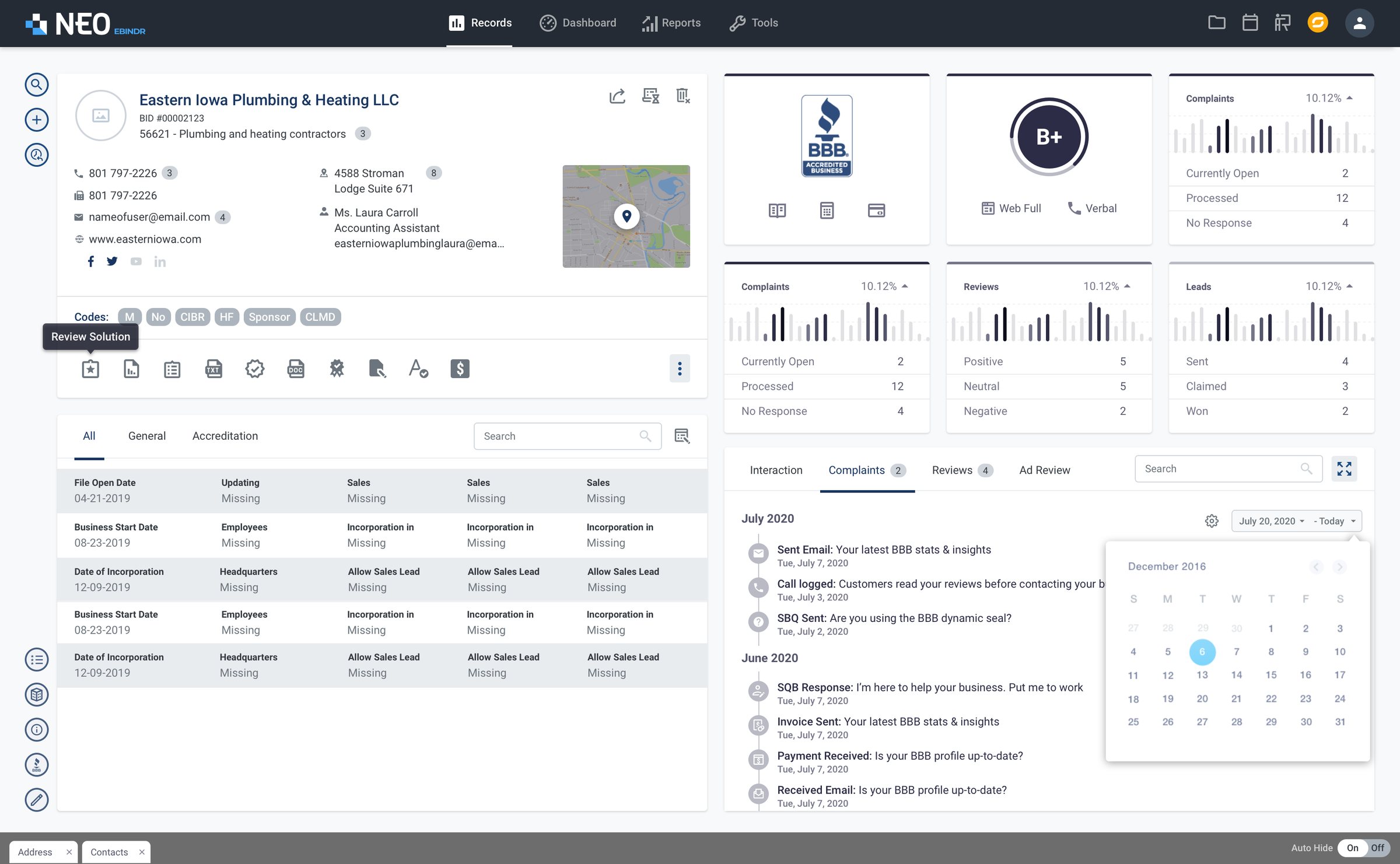
Everything staff need about a business sits on its record: contact details and a map, the rating, accreditation, charts for reviews, leads and complaints, and the full list of complaints below. Quick actions run down the left edge.
Status
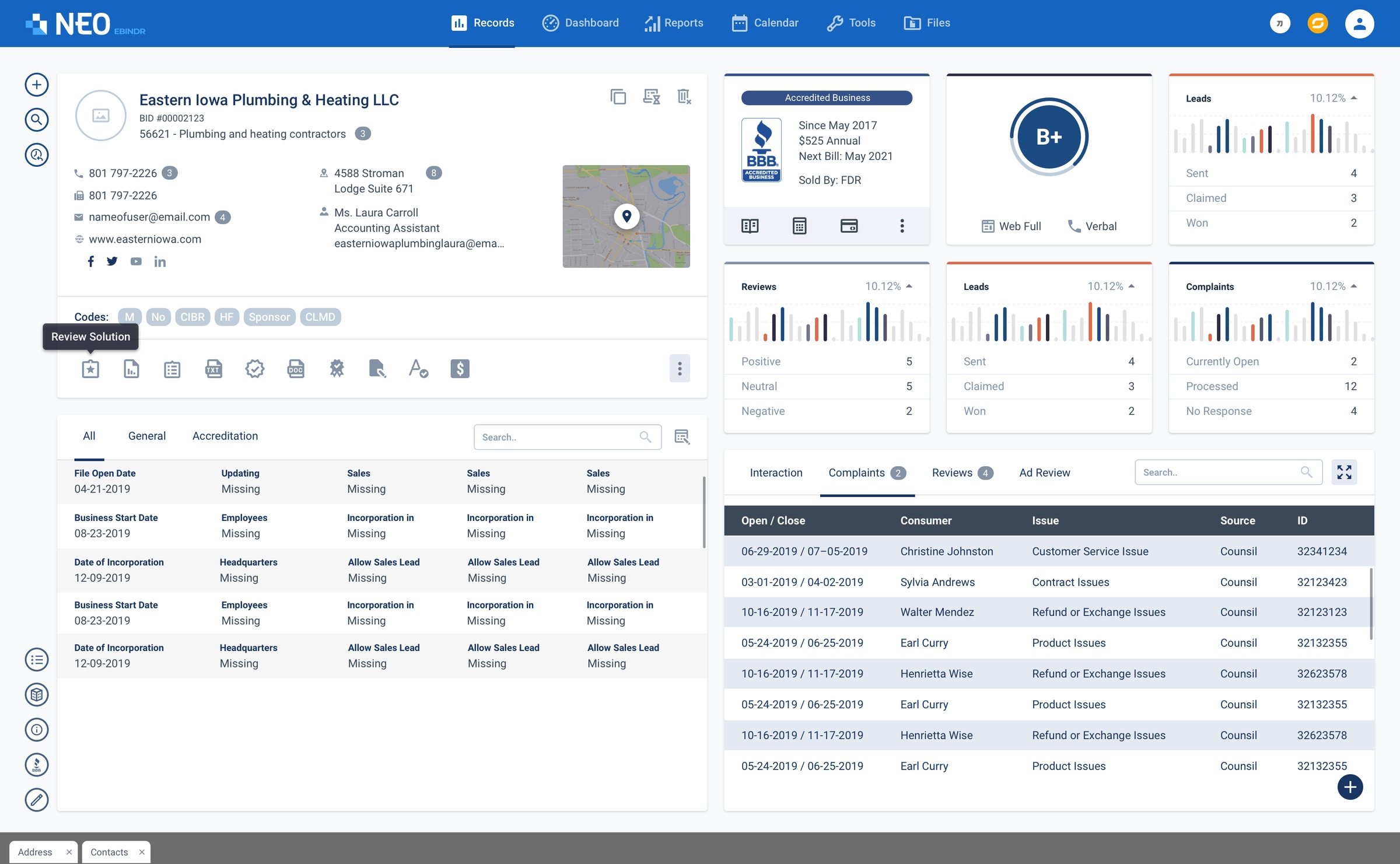
The state of a business at a glance.
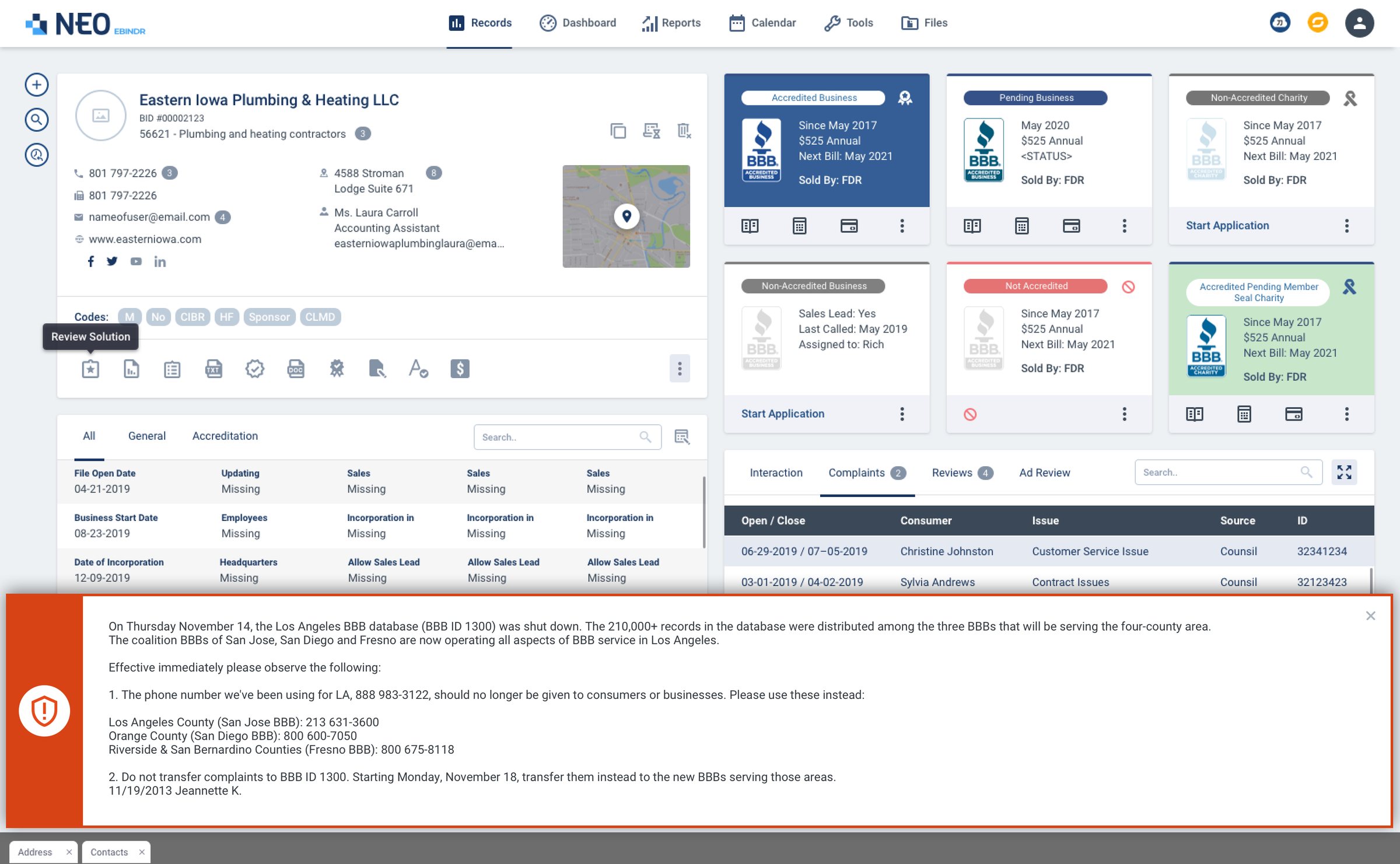
Each business carries a status card: accredited, supporter, charity, pending, ineligible, revoked or former. Colour, icon and the key dates tell staff where it stands before they read a word. Urgent notices from operators run across the top of the record in red.
On the record
Work happens on the record.
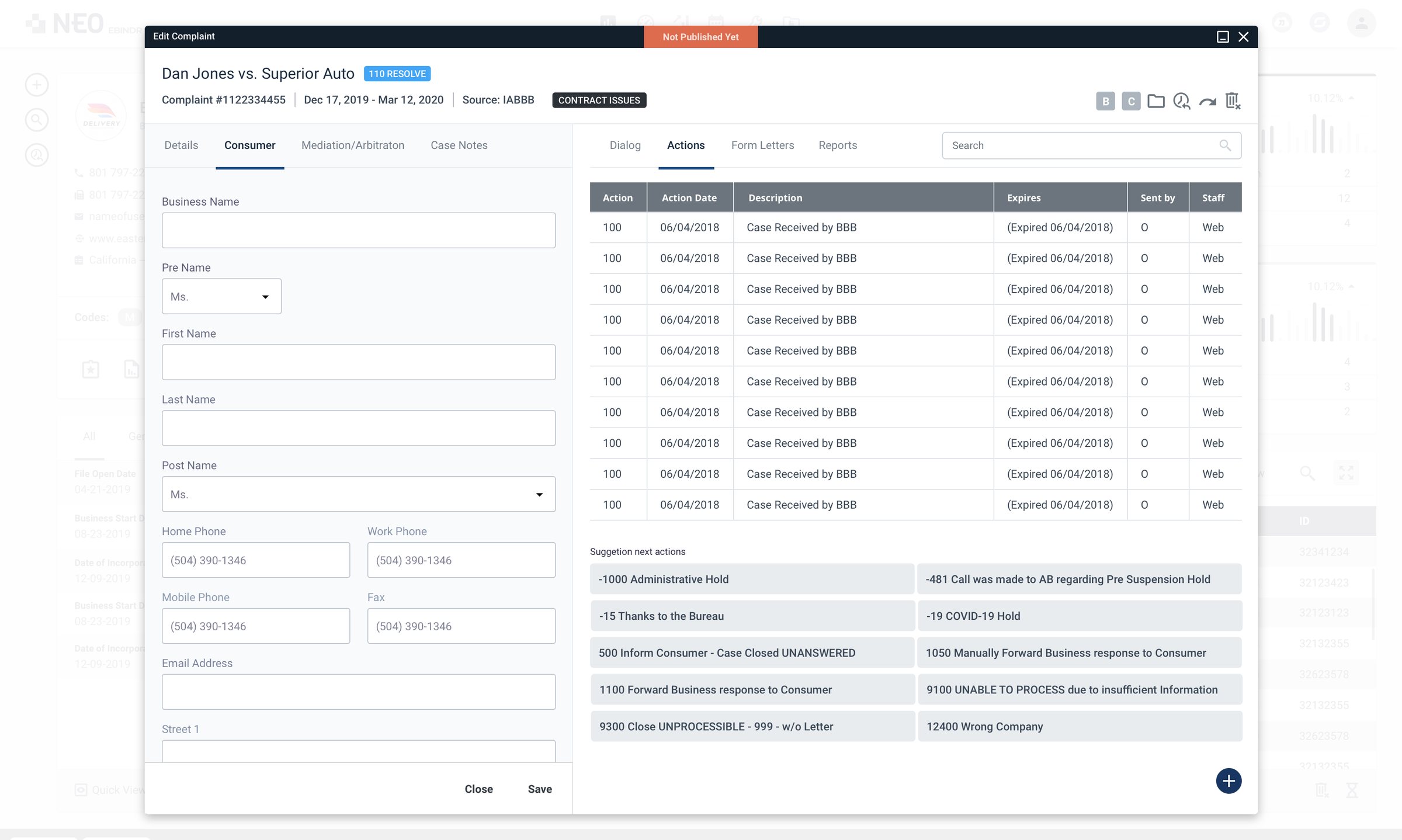
Complaints, form letters and reports open as windows on top of the record, so staff never lose their place. Emails, calls, invoices and payments land on the record’s timeline, with a calendar to jump to a date.
The system
Its own colours and parts.
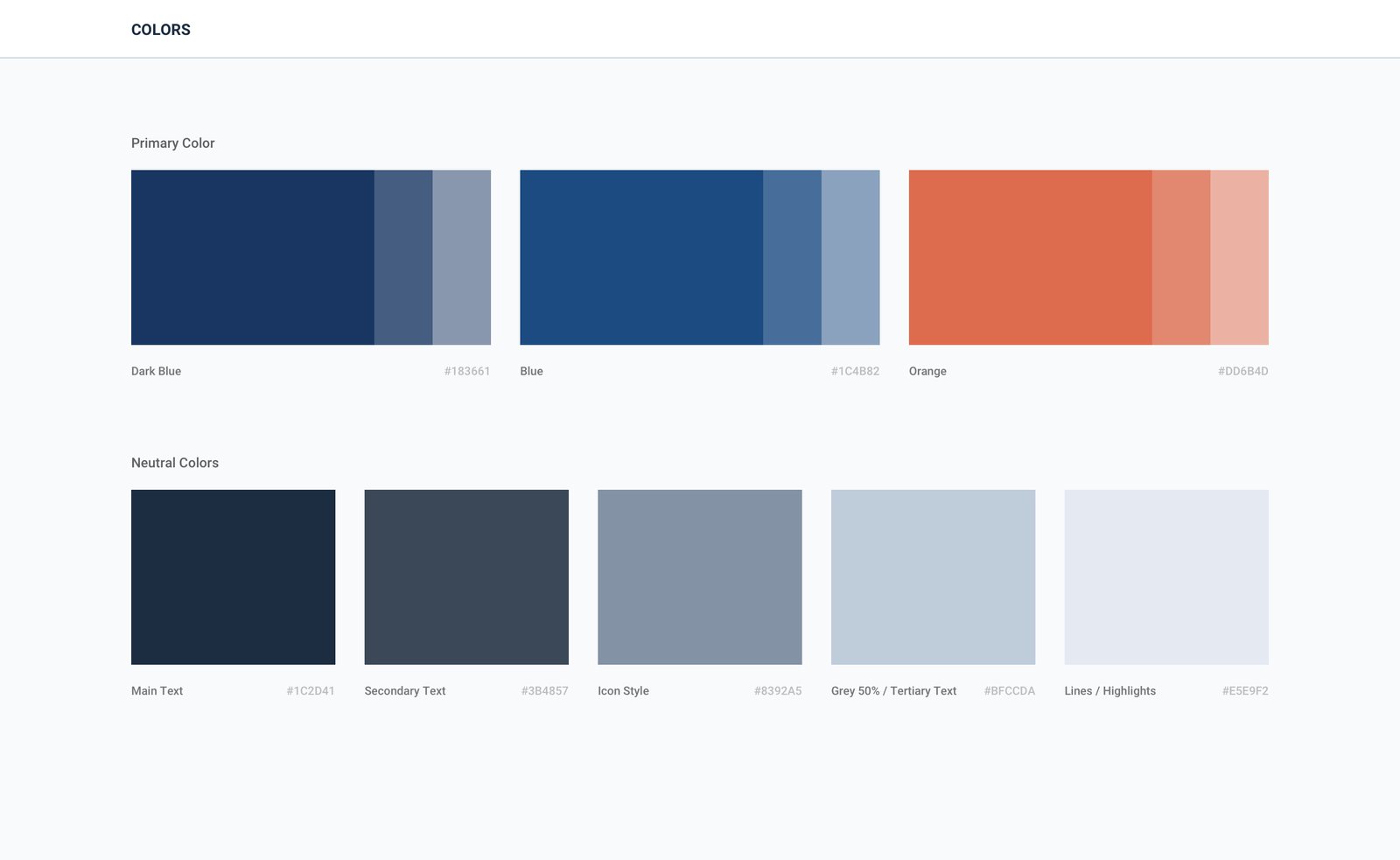
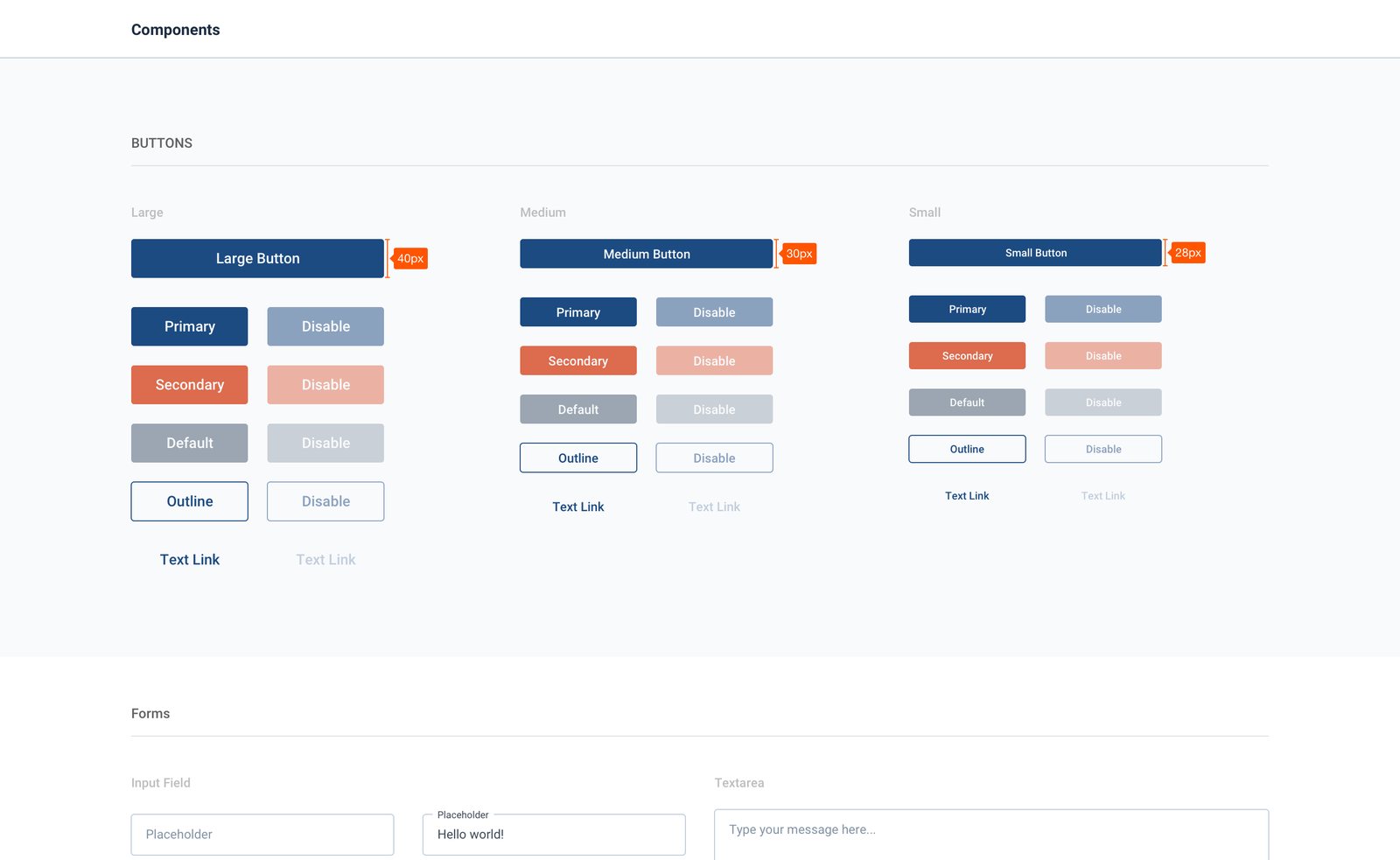
The product has its own small system: a dark blue, a blue and an orange accent, a set of neutrals for text and lines, and one type scale. Components were built on top, so every window looks and works the same.
Principles
Three rules behind every screen.
- 01
Keep the record in view
Tasks open as windows over the record, never as a new page, so the context stays one glance away.
- 02
Dense, but ordered
A lot of data on one screen, grouped into cards and tables with clear labels, so it can be scanned quickly.
- 03
Flag what matters
Status cards in colour and operator alerts in red, so the important things are seen first.
My role
Designed it, then built it.
Design
The record, the windows, reports, tools and settings in Figma, together with the colour, type and component set behind them.
Front end
I coded the screens myself. One set of components for cards, tables and windows kept a large product consistent.
Let’s talk
I’d love to tell you more on a call.
There’s more to this project than fits on one page. If you’re interested, I’m happy to walk you through the decisions, the trade-offs and what I’d do next.