A UI style guide, built by hand
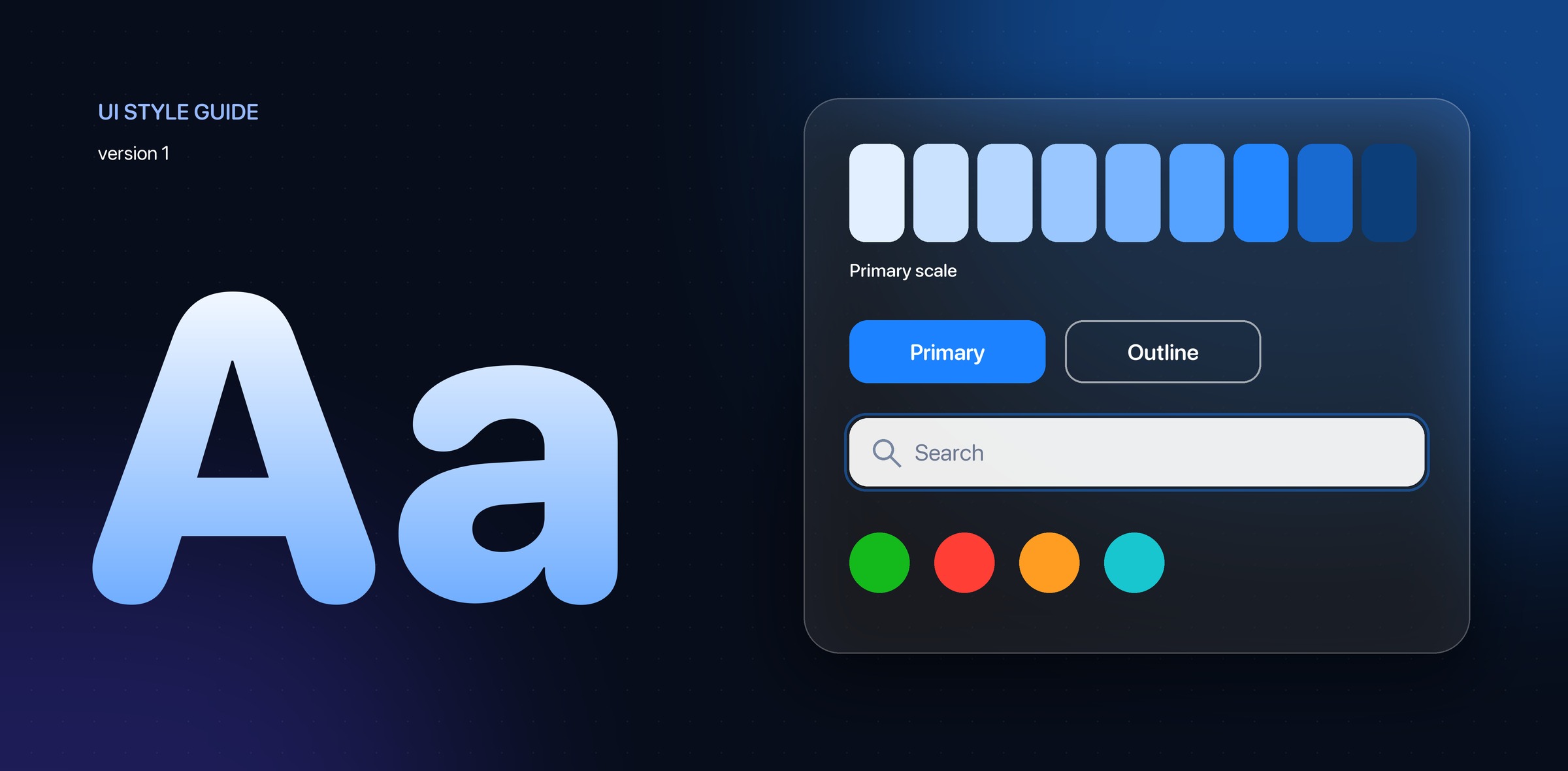
One of my early design systems, made before AI tools: a single guide that fixed the type, colour and components of a web product so every screen could be built the same way.
- Timeline
- 2018
- Scope
- UI design, design systems
Overview
One page per decision.
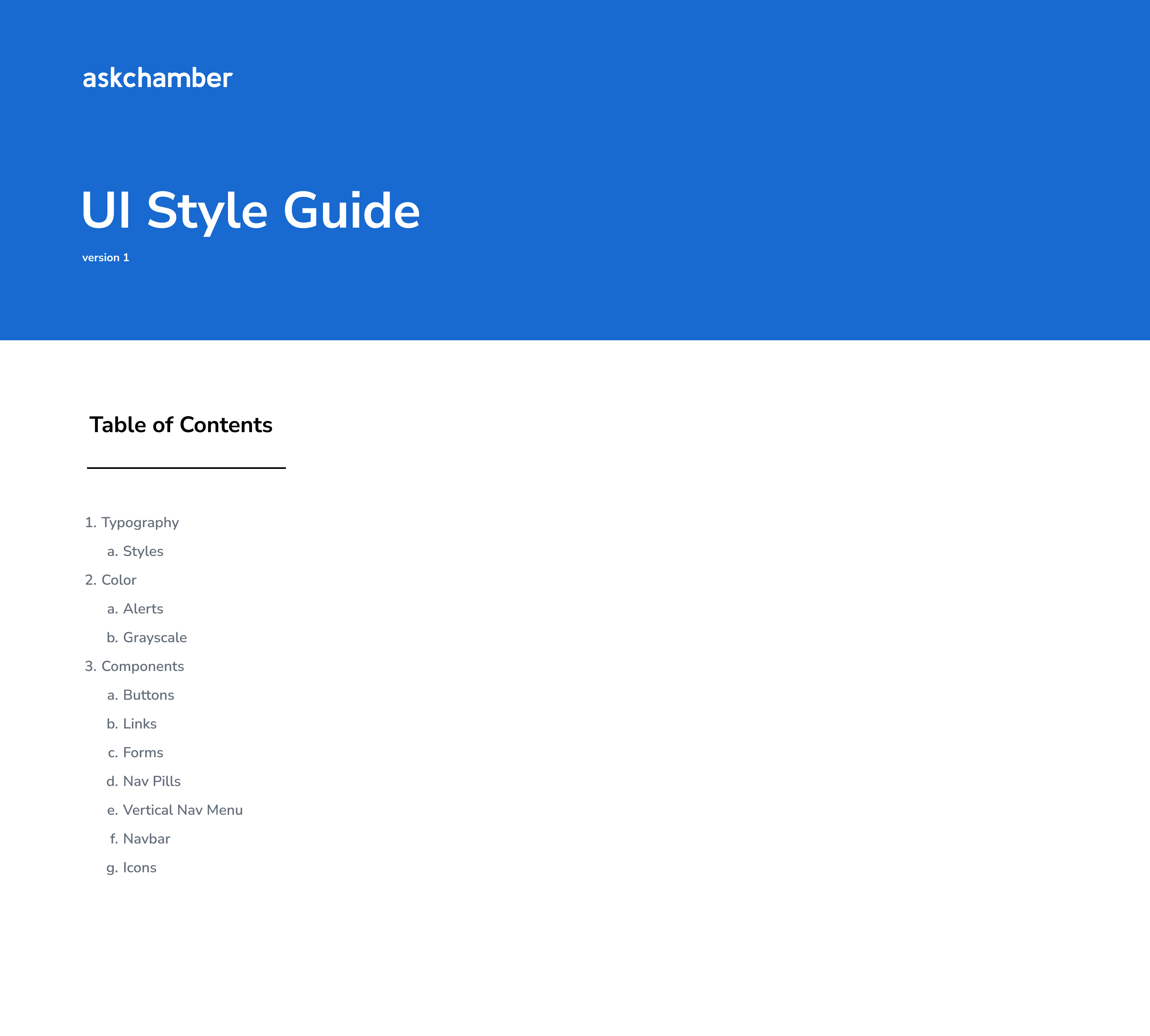
The guide is a short document in Figma. A cover and table of contents lead into four pages: typography, colour, form components and navigation. Each page shows the rule next to a live example, so a designer or developer can check a value without asking.
Everything is set up in Figma, using its components and styles, so the guide and the designs it describes share the same building blocks. I made it before AI tools were part of my work, so every choice here was made and documented by hand.
Typography
One typeface, eight sizes.
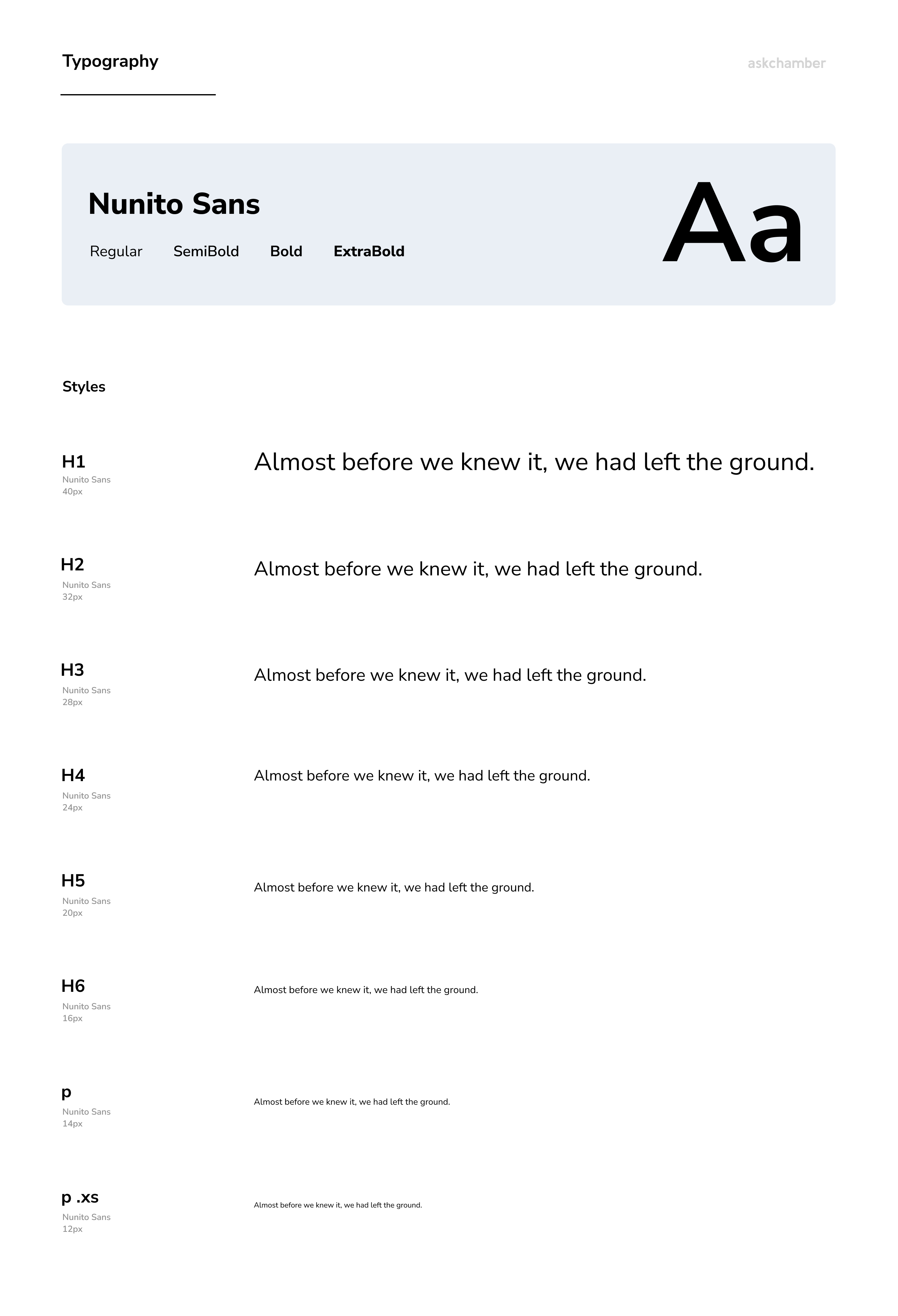
The product uses Nunito Sans in four weights: regular, semibold, bold and extra bold. Six heading levels run from 40px down to 16px, followed by a 14px paragraph and a 12px small paragraph.
Each size sits beside the same sample sentence, so the step between levels is easy to see.
Color
One blue, plus the signals.
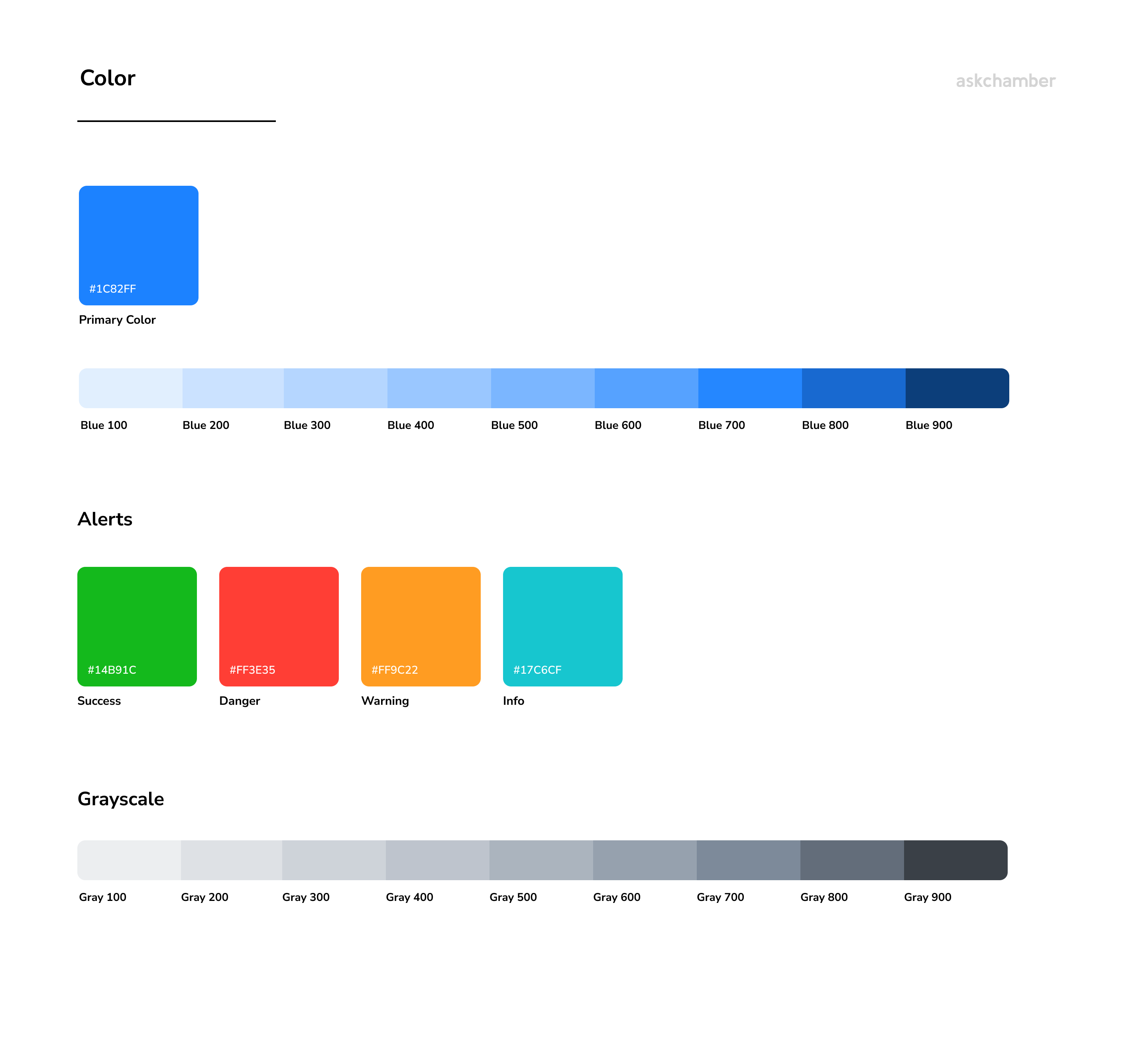
A single primary blue carries the brand and every main action. It comes with a nine-step scale from a light tint to a deep navy, so hover states, backgrounds and dark bars all come from the same hue.
Success, danger, warning and info each have one colour, and a nine-step grayscale covers text, borders and surfaces. Every swatch shows its hex value.
Components
Three sizes, every state.
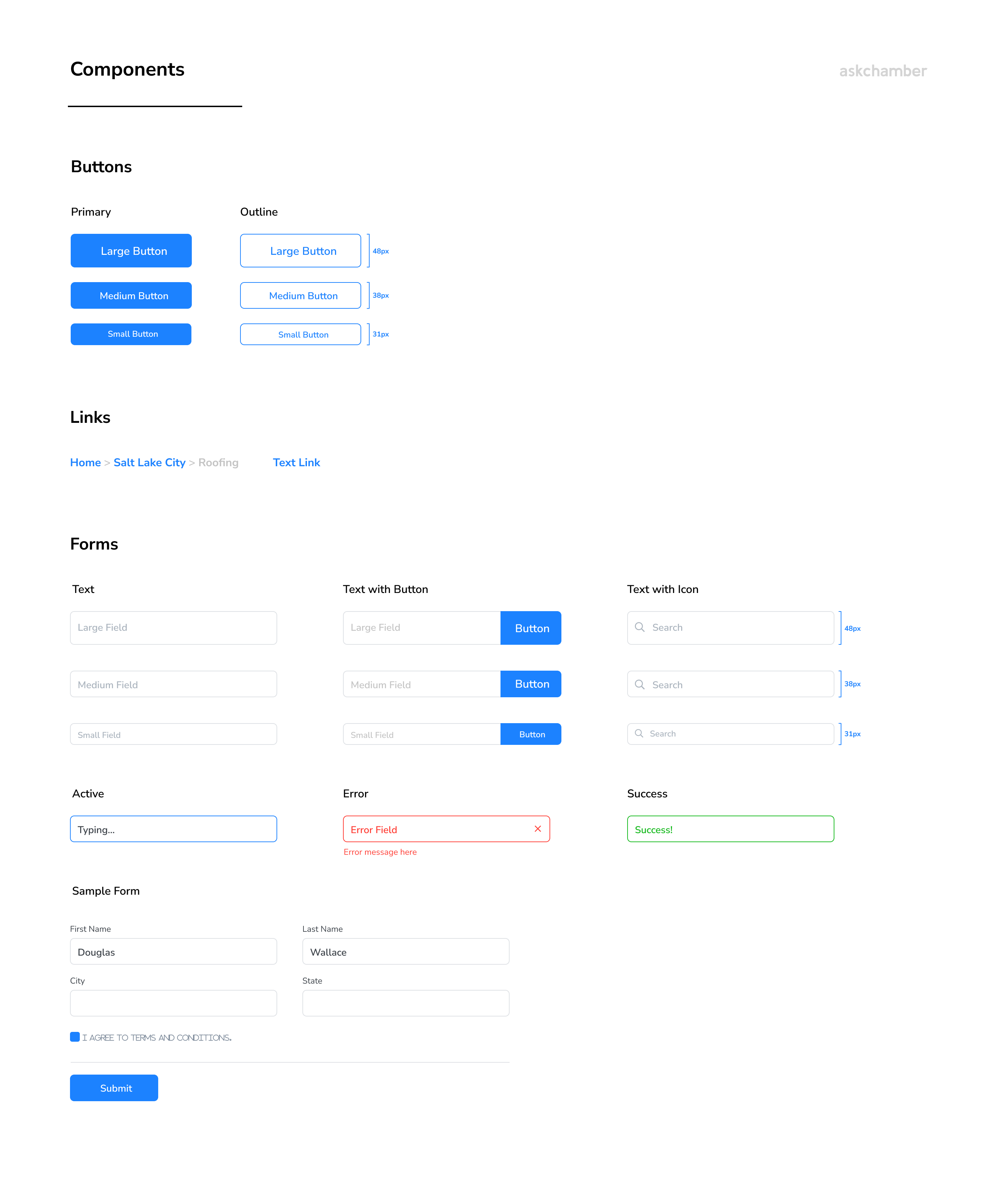
Buttons and form fields share three heights: 48px, 38px and 31px. Buttons come as solid and outline. Fields come plain, with an attached button, and with a search icon.
Fields also show their active, error and success states, with the error message written out. A sample form puts the pieces together.
Navigation
Four ways to move around.
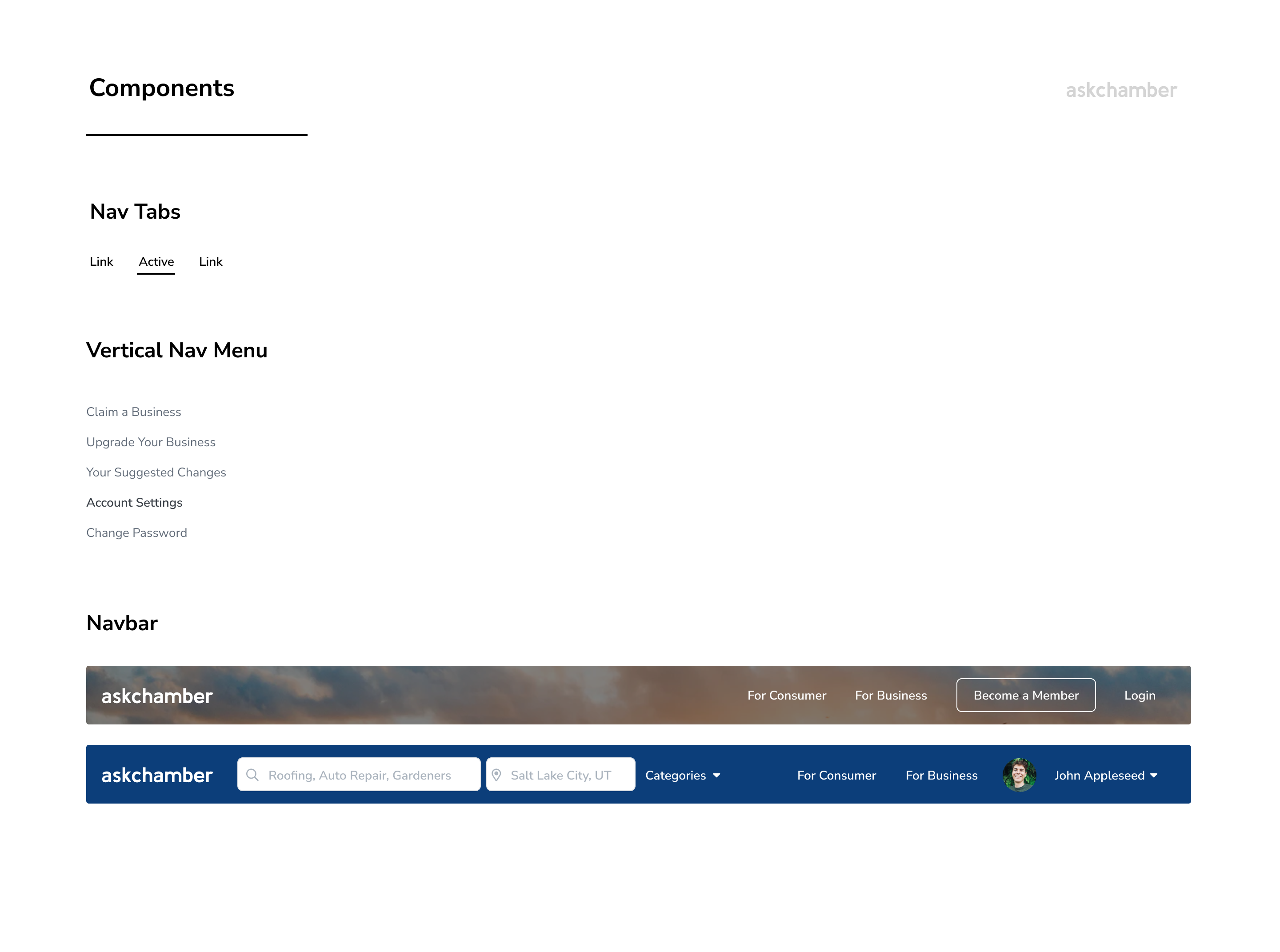
Navigation is documented as tabs, a vertical menu for account pages, and two navbars: a transparent one over a photo for the public pages, and a solid navy one with search, location and the signed-in user.
Let’s talk
I’d love to tell you more on a call.
There’s more to this project than fits on one page. If you’re interested, I’m happy to walk you through the decisions, the trade-offs and what I’d do next.